
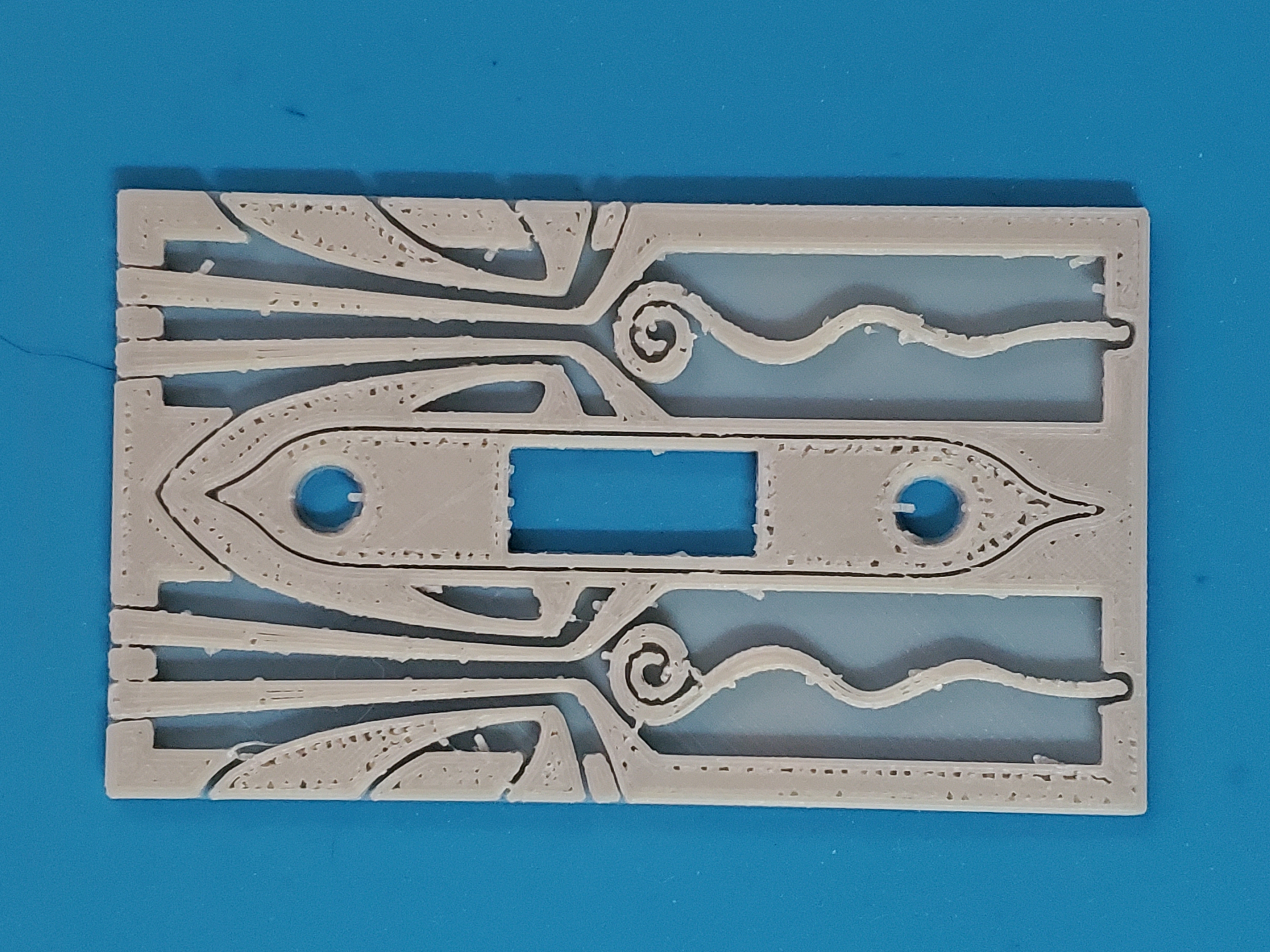
Ender 3 Pro, Slicr, retraction: 6mm; temp: 215; PLA+.
The pin feathers usually happen in the upper layers. Cura doesn’t do this, but it’s so desperately slow as an app (to load, to slice, to preview) that I’m trying Slicr, (which does everything almost instantly.)
Any advice how to avoid them?
(The top surface is another issue I can’t seem to solve, but one thing at a time.)
To me, your top layer looks underextruded, specifically where your solid layer meets the perimeter. This might be acceleration, and if it’s newish Marlin, my guess would be you use Linear Advance and it isn’t calibrated correctly. Your filament drive and the motion of your x/y axis are not synchronized. If I saw this, I would run a Linear Advance calibration print and set the correct k value. I would then run a test print and while it was running, Id ensure the k value was what I’d set. If it wasn’t, I’d look at my starting gcode and otherwise try to figure out why it was being reset or another value set when I started to print. I think you can set classic jerk values in slic3r, so you might just ensure that acceleration is set to use the default printer values. Hope that helps. If you still have trouble, I’d recommend Teaching Tech’s calibration steps. Your filament drive may be skipping or the tension may be inadequate or inconsistent.